How to Track Competitor Prices on Salla
Connect your catalog, check equivalent competitor listings and use the observations for pricing decisions. Confirm site coverage, Arabic matching and update permissions before automating.
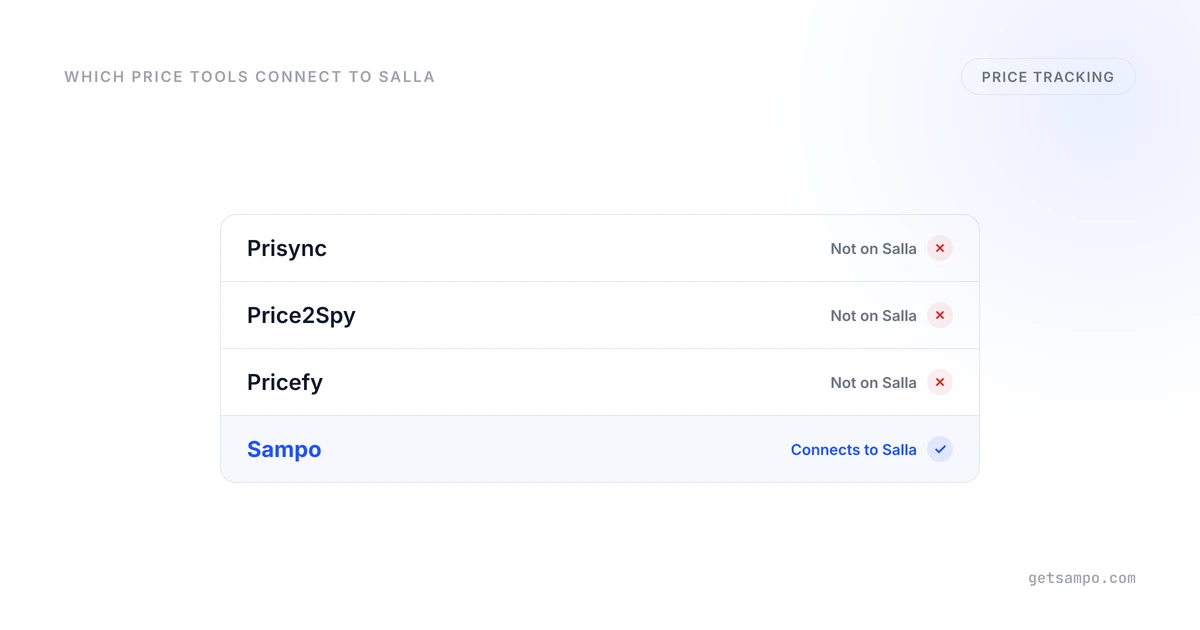
Competitor price tracking for a Salla store needs two connections: your products must be identified correctly, and the competitor listings must describe comparable products. Sending a new price back to Salla is a separate step that requires a supported integration and permissions.
Start with the products that need a market reference
Choose a representative selection of branded products that other stores sell. Record model numbers, identifiers, variants, pack quantities and your minimum acceptable prices. Include the specific competitor sites that influence your decisions.
Private-label goods and exclusive bundles may not have a directly equivalent listing. Use a comparison that respects those differences rather than automatically treating a similar name as the same product.
Check catalog access and price-update access separately
A tool can collect prices from public listings without being able to update your Salla store. Conversely, a catalog-editing app may change your products without supplying competitor observations. Check both capabilities, including supported product fields and the permissions requested by the integration.
Sampo Pricing offers a Salla connection for its pricing workflow. Confirm what your connection supplies and which updates it can send before activation. An uploaded catalog can support analysis, but it does not by itself authorize writes to your storefront.
Inspect Arabic and mixed-language matches
Equivalent listings may use Arabic, English, transliterated brand names or abbreviated model numbers. Product identifiers and attributes help establish the match; a shared brand name alone is insufficient.
Review a selection containing different sizes, quantities and variants. A single bottle should not be compared with a multipack, and an accessory should not be treated as the main device. Check whether the observed price includes the conditions relevant to your customer, such as availability or a conditional promotion.
Evaluate coverage and observation freshness
Ask the pricing provider to check the actual sites and listings you want to monitor. Marketplace seller listings, access restrictions and page changes can affect collection. No provider should be assumed to cover every website simply because it supports your store platform.
Standard Sampo Growth and Pro plans refresh observations daily; Enterprise schedules are custom. Use the timestamp and available data in your pricing decision rather than treating an observation as a guaranteed live price. Competitor tracking explains the matching and coverage checks.
Choose a review or repricing workflow
For a small set of products, periodic comparisons and manual updates can be adequate. If market-based changes are frequent, define the products, competitor scope and pricing rule that should govern the response. Review minimum-price behavior and maintain current costs.
A planned catalog-wide adjustment and a competitor-driven rule solve different jobs. The bulk editing versus repricing guide helps distinguish them. Do not assume an editor's scheduling feature supplies competitive data.
If you build a custom workflow, collection, matching and store-update integration are engineering tasks you must maintain. A custom integration can implement price writes; it is not inherently limited to producing a spreadsheet. Compare that work with the scope and cost of a managed product.
Evaluate Sampo using your catalog
- Connect the supported store or provide the catalog for an initial analysis.
- Select representative products and the competitor sites you require.
- Inspect available matches, variants, currencies and stock observations.
- Review recommendations or a selected-product rule, with minimum-price settings checked.
- Confirm permissions and inspect the resulting store prices before expanding automation.
Stock and sales-based conditions need the corresponding data from the connected store. Choose a workflow that uses the inputs you actually have, rather than assuming an uploaded product list supplies order history.
Compare current plans and trial limits against this scope. A successful evaluation establishes usable data and a working update process; it does not guarantee an increase in sales or margin.
Compare matched competitor prices and stock. Standard plans refresh daily; coverage depends on the sites you select.