Bulk Price Editing vs Automated Repricing
A bulk editor applies a chosen change. Competitor-based repricing also needs market observations, product matching and a rule. Choose according to the work your store needs.
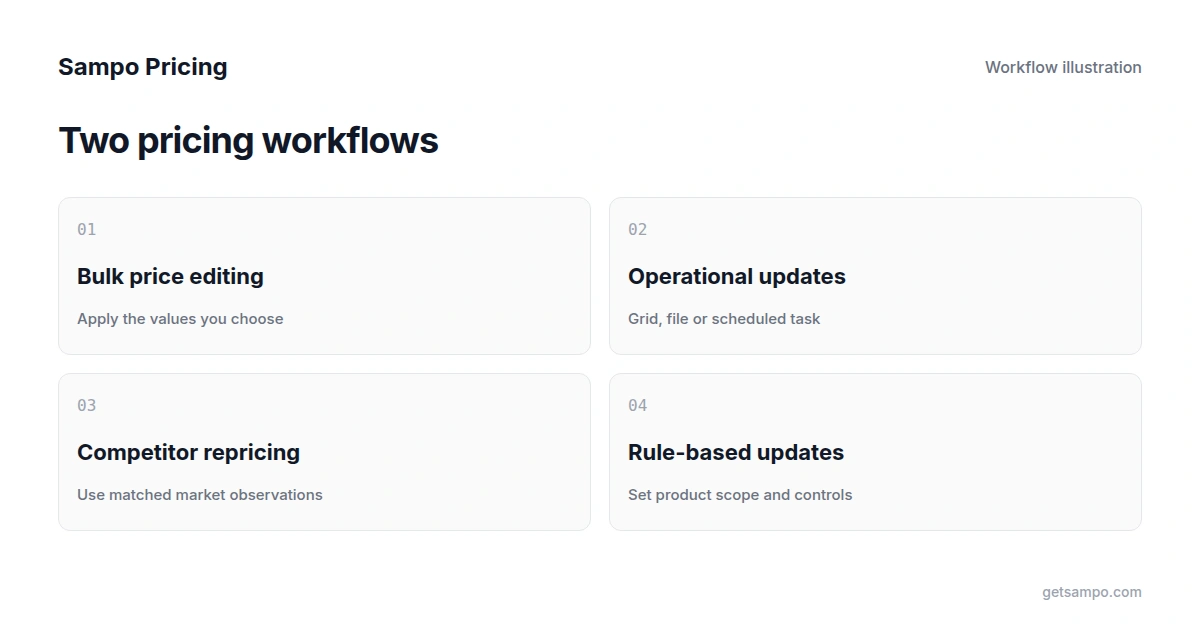
Bulk price editing and competitor-based repricing can both change prices across multiple products. The difference is the decision that happens before the update. A bulk editor applies values or adjustments you have chosen. Competitor-based repricing uses matched market observations and a configured strategy to calculate recurring changes.
Start with the merchant's task
For a supplier cost increase, you might already have a list of new prices to apply. A promotion might require a planned discount on selected products. A repeated competitor move raises a different question: which equivalent listing should influence your price, and what rule should govern the response?
The same store can need more than one method. Using a native bulk editor for a planned update does not prevent you from using a pricing system for recurring competitive decisions.
What bulk editors typically provide
Native tools and specialist apps can select products, adjust prices or import a file. More capable editors add filters, scheduling, recurring tasks, history and reversal options. Some also edit descriptions, images, tags, metafields and inventory.
Hextom Bulk Product Edit and Ablestar Bulk Product Editor illustrate this category. Their listed paid plans start at US$9.99 and US$30 per month respectively at the time of this update. Plans and limits can change; check the live listings. These are not equivalent packages to a system that supplies competitive data and product matching.
An editor may repeat a task or import a supplier feed. Do not assume that scheduling means it independently collects competitor prices, identifies equivalent products or chooses a competitive strategy. Check where the input data comes from.
What competitor-based repricing adds
A complete workflow needs to identify the products in your catalog, match relevant competitor listings, observe prices and availability, and apply the pricing rule you select. Store updates also require a supported connection and the necessary write permissions.
A matching error can produce an inappropriate price even when the arithmetic is correct. Compare model numbers, variant options, pack quantities, currency and availability before treating prices as equivalent. Competitor coverage and refresh frequency are part of the buying decision, not details to assume after purchase.
Sampo Pricing focuses on this combination of product matching and competitor monitoring, recommendations and selected-product repricing rules. It also supports minimum-price inputs and stock-related rule configurations where the necessary data is available. It should be evaluated as a pricing workflow, not as a replacement for every catalog-editing field.
Decide which level of automation you need
- For a known, one-off price change, start with the platform's native editor or a carefully mapped file.
- For repeated operational edits, compare specialist editors on filtering, scheduling, variant support and reversal conditions.
- For recurring market-based pricing, compare competitor coverage, matching, observation freshness, rule controls and connected-store updates.
- For broad catalog maintenance, check the required fields separately; pricing support does not establish support for descriptions, images or tags.
The Shopify guide and WooCommerce guide explain native methods and the main data risks.
Check controls before considering business results
Choose the product scope, review original values and test the workflow on representative products. Keep minimum prices and cost inputs current. Where a rule allows an override, inspect that setting instead of assuming the floor is unconditional.
For stock or sales-based rules, check whether the store supplies the relevant history. An uploaded catalog alone does not establish sales velocity, and editing a row does not grant permission to change an external storefront.
Undo and audit-history features vary by product. Ask what can be reversed, for how long, and which external changes are included. Do not assume that pausing a pricing rule restores every prior store price.
Evaluate the cost against recurring work
A cheap editor can be the right choice if the decision is already made and the task is occasional. A pricing system can earn its place when collecting competitive data, maintaining product matches and executing recurring rules would otherwise take substantial work. There is no universal return-on-investment percentage.
Sampo's Growth plan currently starts at US$299 per month, with plan details and a seven-day trial. Use your own catalog to check matches, coverage, required controls and whether updates reach the connected store. Success is the workflow meeting your requirements; more automated changes alone do not prove more profit.
Apply pricing rules to selected products using competitor data and minimum prices you configure.