How to Track Competitor Prices on Noon
Check the right product, seller and delivery terms, keep a dated record and decide when a Noon price should change yours.
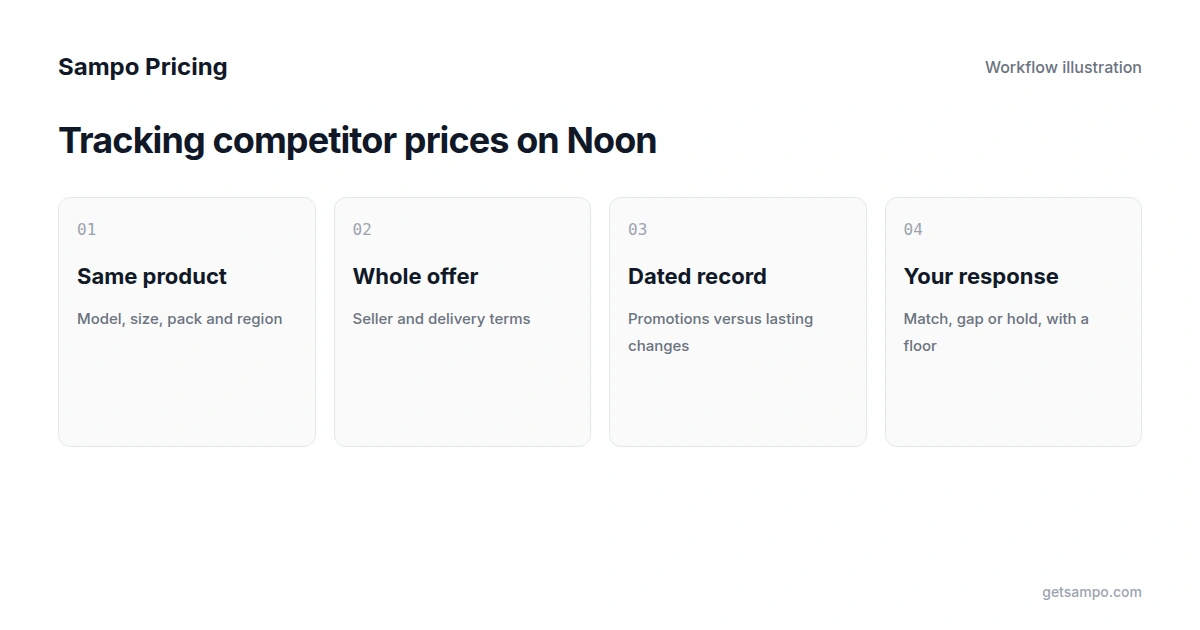
If your store runs on Salla, Zid, Shopify or WooCommerce and your customers compare your prices with Noon before they buy, those prices shape what they expect from you, whether or not you sell on Noon yourself. This guide covers checking those prices by hand, the mistakes that make a comparison wrong, and when automation is worth it.
Pick the products that need a Noon reference
Start with branded products that Noon also sells: electronics, beauty, fragrance, baby and household items with a clear brand and model. For each one, record the model number and your minimum acceptable price. Private-label goods and bundles you assemble yourself rarely have an exact equivalent, so compare them separately or leave them out.
Use the right storefront and compare VAT-inclusive prices
Noon runs separate storefronts for the UAE and Saudi Arabia, priced in AED and SAR. Compare against the one your customers use. Consumer prices in both countries include VAT, 5% in the UAE and 15% in Saudi Arabia, so set them against your own VAT-inclusive price.
Make sure it is the same product
Similar names can hide different products. Check the model number, storage or size, color, pack quantity and region version. An international version of a phone, or a gift set with an extra item, can carry a different price for a good reason. Arabic and English titles for the same item often differ, so match on identifiers and attributes rather than on the title alone.
Read the whole offer
The same product can be offered by more than one seller, so check the other sellers before you treat the first price as the market price. Note the seller, stock status and delivery promise next to the price. Coupons, bank-card offers and delivery fees change what a customer pays, and some apply only to certain customers or cards. Record those conditions with the price so a promotion is not mistaken for a permanent price.
Keep a dated record
A spreadsheet works for a short list: product, Noon link, date and time, price, seller, stock and promotion. Repeated checks over a few weeks show whether a price is a short promotion or a lasting change, and how prices move around White Friday and Ramadan.
Decide when a Noon price should change yours
Some gaps need no response. Decide per product whether you aim to match Noon, stay within a set percentage of it, or hold your price because of service, warranty or delivery speed. Set a minimum price for every product before changing anything, so a competitor's promotion cannot push you below that floor. The guide on avoiding price wars covers when matching hurts margin.
When to automate
Manual checks become impractical at a few dozen products, or when prices move more than once a week. Sampo's pricing intelligence software tracks Noon alongside Amazon.ae, Amazon.sa and independent Gulf stores, matches Arabic and English product titles to your catalog, and records price, stock and promotions on each observation. Growth and Pro plans refresh daily. You can review pricing recommendations or set pricing rules, and a store connected on Salla, Zid, Shopify or WooCommerce can receive approved prices once you confirm its permissions.
Test it on your own catalog
- Connect your store or upload a product list.
- Add Noon and the other stores your customers compare against.
- Check the matches for variants, pack sizes and region versions.
- Review the recommendations, or test one rule with a minimum price on a few products.
- Widen the scope once the results look right.
Every plan starts with a 7-day free trial and no card is required; see plans and limits. For Amazon, read how to track competitor prices on Amazon.ae and Amazon.sa.